
-
 DA Big Gimping Plug-in Process for GIMP Now With V4 & Auto InstallerOriginal price was: $75.00.$30.00Current price is: $30.00.
 -
 Da Photoshop Script | Photo Editing Process For Laser Engraving Photos$40.00
 -
 Da Master Collection Bundle WITH V4 Photorealistic laser engraving processes-By Sean MurrayOriginal price was: $125.00.$65.00Current price is: $65.00.
 -
 Da CorelDraw Script$20.00
-
DA Big Gimping Plug-in Process for GIMP Now With V4 & Auto InstallerOriginal price was: $75.00.$30.00Current price is: $30.00.
-
 Support Da Big Gimping Plug-in With A DonationPrice range: $25.00 through $100.00
 -
Da Master Collection Bundle WITH V4 Photorealistic laser engraving processes-By Sean MurrayOriginal price was: $125.00.$65.00Current price is: $65.00.
-
Da Photoshop Script | Photo Editing Process For Laser Engraving Photos$40.00
-
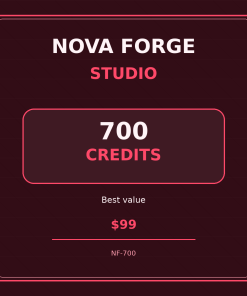 Nova Forge Studio – 700 Credits$99.00
 -
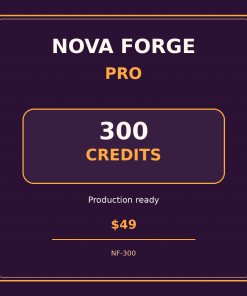 Nova Forge Pro – 300 Credits$49.00
 -
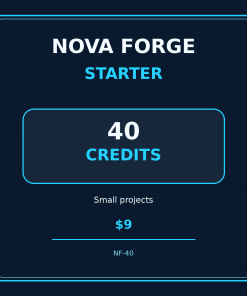 Nova Forge Starter – 40 Credits$9.00
 -
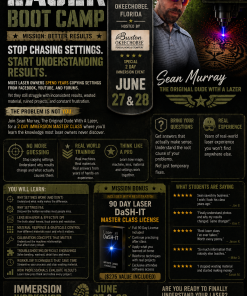 Laser Engraving Mastery 2-Day Immersion Workshop (Okeechobee, FL – June 27–28, 2026)$500.00
 -
 Laser DaSH-IT Yearly Updates$100.00
 -
 Realistic Bee SVG$0.00
 -
 Bird Svg$0.00
 -
 Avaition Blueprint Cessna$0.00
 -
 Washington Master Class – Final Balance (Aug 24, 2025)$350.00
 -
 Deposit For The Master Class – Washington State$150.00
 -
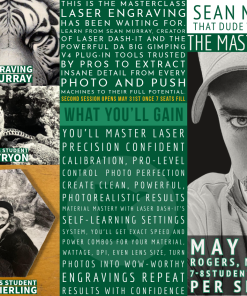 The Master Class 15.0- Minnesota$500.00
 -
 One on One Training$650.00
 -
 Laser DaSH-ITOriginal price was: $275.00.$200.00Current price is: $200.00.
 -
 DA!PixelPerfector Subscription$100.00
 -
 DA!PixelPerfector v1.0$100.00
Crestview
engraved
engrave photo
Florida
how to engrave a photo
laser engraving
photo editing
photo engraving
photo processing
- Sunday
- Closed
- Monday
- 9:00 am – 5:00 pm
- Tuesday
- 9:00 am – 5:00 pm
- Wednesday
- 9:00 am – 5:00 pm
- Thursday
- 9:00 am – 5:00 pm
- Friday
- 9:00 am – 5:00 pm
- Saturday
- Closed

Photo Processing Scripts
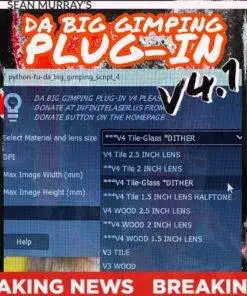
DA Big Gimping Plug-in Process for GIMP Now With V4 & Auto Installer
Attention! You cannot use thee latest version of Gino with this plugin, you will need to use the 2.10.— versions. I am releasing an update soon so that it is compatible and I’m also adding some new features.
This plugin has been a staple in our industry for many years, I don’t plan to discontinue this plugin although Laser DaSH-IT exists now and that’s where it’s at, I highly recommend it, I will work out a discount for my current users of my plugin to get y’all caught up to where the future is.
Da Big Gimping Plug-in Fully automated Gimp photo process plugin. V4 is NOW RELEASED
Your Laser DaSH-IT Serial Key Is:
Original price was: $75.00.$30.00Current price is: $30.00.Add to cart
Revolutionize Your Laser Engraving with Da Big Gimping Plugin V4: The Premier Photo Processing Solution
Transform your laser engraving projects with ease using the Da Big Gimping Plugin V4. Designed for both beginners and seasoned engravers, this plugin automates your photo editing, saving you time and enhancing the quality of your engravings.
Effortless Windows Installation with Auto Installer
- Download the Auto Installer: Securely download the Da Big Gimping Plugin V4 Auto Installer.
- Prepare for Installation: Ensure all previous versions of the plugin are uninstalled. Download and extract the installer to your ‘Downloads’ folder.
- Run the Auto Installer: Close Gimp, execute the installer file, and follow the on-screen instructions.
- Restart Gimp: Launch Gimp again to discover the plugin ready for use in the top menu.
Note: The Auto Installer simplifies the setup process, eliminating manual file copying.
Setting Permissions on Mac OS
(No changes, as this section remains relevant as is.)
Seamless Workflow from Gimp to Lightburn
Photo Engraving Workflow Chart – Gimp To Lightburn
- Install the Gimp software on your computer.
- Download the Da Big Gimping V4 plugin file and save it to your computer.
- Open Gimp and go to Edit > Preferences > Folders > Plug-ins.
- Click on the “New” button and navigate to the folder where you saved the plugin file.
- Select the plugin file and click on “Open”.
- Close and re-open Gimp to apply the changes.
- Open a photo in Gimp in RGB mode. Do not press OK yet.
- We’re going to convert the photo to inches to mm. Take note of the final image size.
- Prepare to run the V4 plugin.
- Run the V4 plugin by selecting it from the “Filters” or “Tools” menu depending on its functionality.
- Press OK and wait for the automated processing to finish.
- Save the processed photo using the “File > Export As” menu.</

Da Big Gimping Plugin V4: A Game Changer in Photo Engraving
Step into the future of photo processing for laser engraving with Da Big Gimping Plugin V4. This innovative tool is a must-have for laser engraving enthusiasts, offering unparalleled ease of use and quality enhancements. Whether you’re a hobbyist or a professional, the Da Big Gimping Plugin V4 is your key to unlocking stunning laser engravings with minimal effort.

Photo Processing Scripts
Da Photoshop Script | Photo Editing Process For Laser Engraving Photos
Introducing Da Photoshop Script!
With only a few clicks of your mouse you will unlock a new level of photorealistic laser engraved photos.
Brought to you by The original Dude With A Lazer on Fb
Now with Da Clear Acrylic Script
4 Scripts in one and growing!
Photo Processing Scripts
Da Master Collection Bundle WITH V4 Photorealistic laser engraving processes-By Sean Murray
Da Master Collection of Processes for laser engraving photos
[wpedon id=7317]
Photo Processing Scripts
Quality You Can Depend On
- Fast & Reliable
- High Quality Results
- Tile Approved!
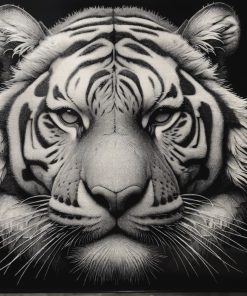
Photo Processing Scripts
Laser DaSH-IT V1.4 is a laser photo workflow suite that helps you prep images, use self-learning settings guidance, compare proof lanes, apply donor-image calibration logic, plan multi-panel jobs, and export LightBurn-ready files with less guesswork and better production flow. Updates are included for 365 days after your purchase of Laser DaSH-It
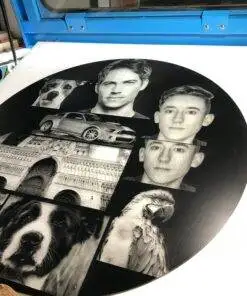
Photo Processing Scripts
This new Process for paintshop pro works with painted tile, painted acrylic and painted glass so far.
I will continue creating more for paintshop pro very soon
Thank You!
Courses
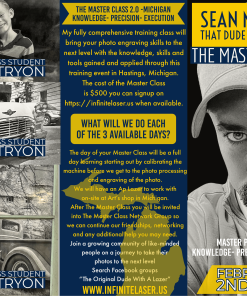
The Master Class 2.0 – Michigan
Please select the day you will be attending out of the three days available.
- February 2nd
- February 3rd
- February 4th
Final Registration Date
The final day to register will be January 30th 2023.
Refunds:
A partial refund of 70% will be made if canceled by January 30th 2023. In the event of extenuating circumstances please contact me to reschedule for a future event.
Support the future development of Da Big Gimping Plug-in by making donation
Please select an amount to get started

The Master Class 10 Mount Vernon, Ohio
- This is a one day event on August 24th 2023 if there’s enough demand I will add more days to accommodate.
- Start time is 9am
- End time is 5pm but I don’t chase people out 😊
Final Registration Date
The final day to register will be until The Master Class is sold out for each day.
Refunds:
A partial refund of 70% will be made if canceled by August 19th 2023. In the event of extenuating circumstances please contact me to reschedule for a future event.